✅ 80+ researchers already using SlideBuilder, ⏱ Cut 1–2 weeks from reporting cycles Book a demo

SlideBuilder: analysis to PowerPoint made easier

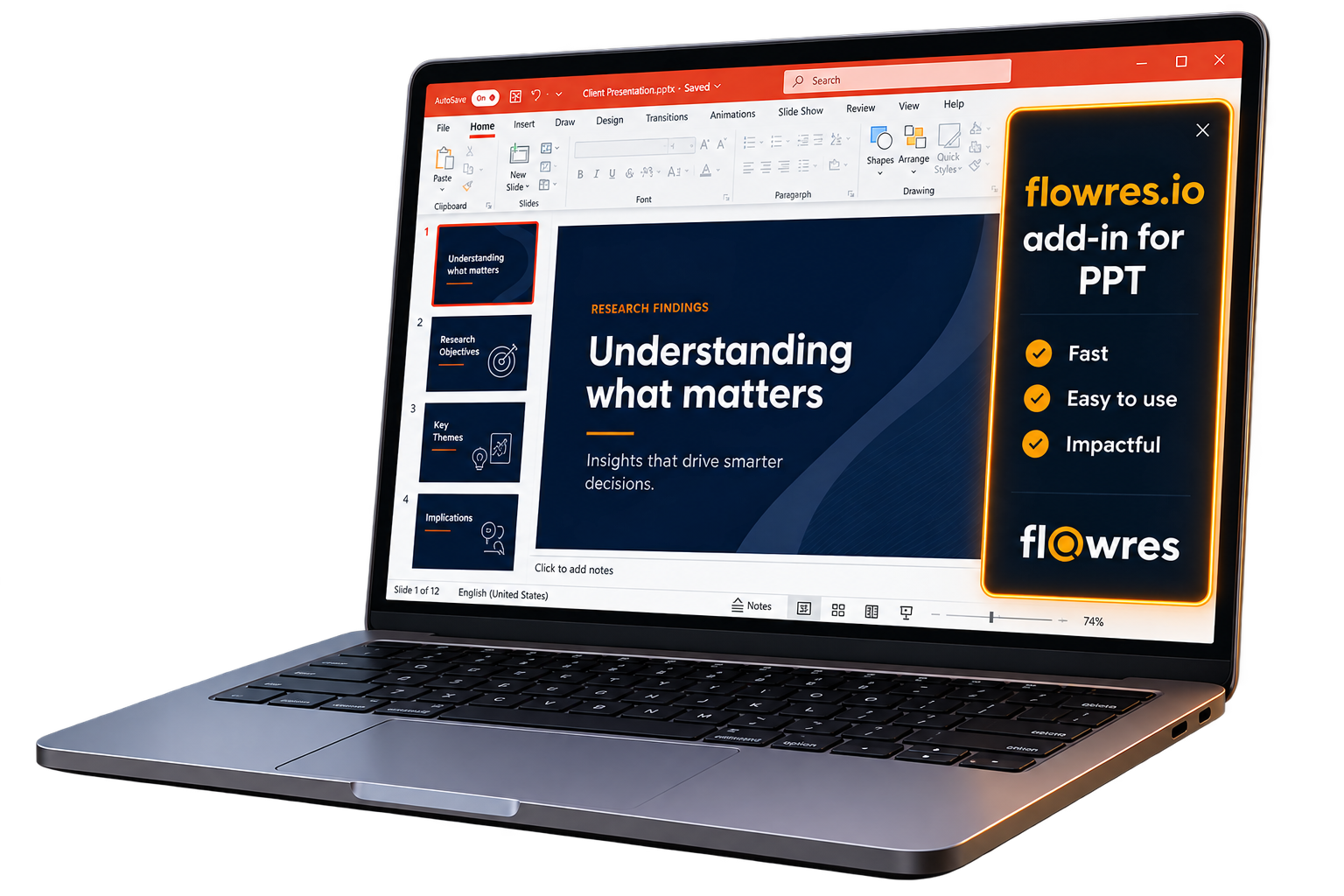
Available as both an in-platform dashboard feature and a PowerPoint add-in

flowres.io’s SlideBuilder helps researchers move faster, from analysis to curating decks. It converts bookmarked summaries, quotes, themes and analytical insights into slides, in a template you choose.

What makes SlideBuilder stand out?

Researcher-controlled narrative

Researchers decide what goes into each slide. They bookmark analysis/ themes/ quotes in flowres.io, during or after analysis; then use those bookmarks as source material for SlideBuilder. The result --> approved inputs, not auto-generated, black-box insights.

Multiple outline options

Generate several versions of storyline, from the same bookmarked analysis/ themes/ quotes. Review each option before committing to a deck structure.

Works inside PowerPoint

Add-in runs within PowerPoint, throughout the reporting process. You can create slides from the same flowres.io workspace where your data is analyzed; tool-switching not required.

Follows the template you choose

Use your existing agency or client template. SlideBuilder preserves the content, formatting, and structure of every slide it inserts.

In-platform option available

Researchers who prefer to work within flowres.io can also build visualisations directly on the platform's dashboard.

Fully editable slides

Everything inserted into PowerPoint is a native, editable PowerPoint element - ready for your final editorial polish.

What SlideBuilder is and is not

It’s
A feature offered within flowres.io
A PowerPoint add-in that inserts bookmarked analysis/ themes/ quotes into slides
A feature that preserves your template formatting throughout
A report-writing feature, applied to analysed data
A feature that provides fully editable slides

It’s NOT
A stand-alone deck-making tool/ software package
A one-click presentation generator
A replacement for the researcher’s analytical and editorial judgment
A feature that works without prior analysis in flowres.io
A tool that generates non-editable slides

Testimonials

Secure & compliant infrastructure

Certified Security

ISO 27001 certification and GDPR-ready infrastructure for enterprise-grade compliance.

Enhanced Privacy

HIPAA-friendly features, including audio-only streams and PII redaction capabilities.

Data Sanctity

AWS-hosted, SSL-certified infrastructure for secure data handling and storage.

SlideBuilder in the flowres.io workflow

SlideBuilder is the final step in a connected research environment

Recruit
participants
Schedule
sessions
Run
fieldwork
Observer
backroom
Run AI-enabled
analysis
Curate insights
with SlideBuilder

Everything from participant recruitment to a client-ready deck, in one workspace

Start your free trial

FAQs

Currently, SlideBuilder add-in is available only in PowerPoint.

No. Template formatting and structure are preserved throughout.

Yes. Analysis needs to be run in flowres.io, then SlideBuilder pulls in bookmarked content from your flowres.io account.

Bookmarks are the input to beginning deck-writing. The researcher analyzes in flowres.io, bookmarks the relevant analyzed sections, then launches SlideBuilder.

Yes. Multiple outline options can be generated from the same bookmarks. In manual mode, each slide can be reviewed and edited, before insertion.

Yes. Everything inserted into PowerPoint is fully editable, as a native PowerPoint element.

Email us